
Budget Pro for Android
The till in your pocket. It keeps selling when the data runs out.
Free on Google Play. Sign in with the same account you use on the website, and your products, customers and prices are on the phone in a minute.
On a computer? Point your phone's camera at this code to open the app on Google Play.
What works with no network
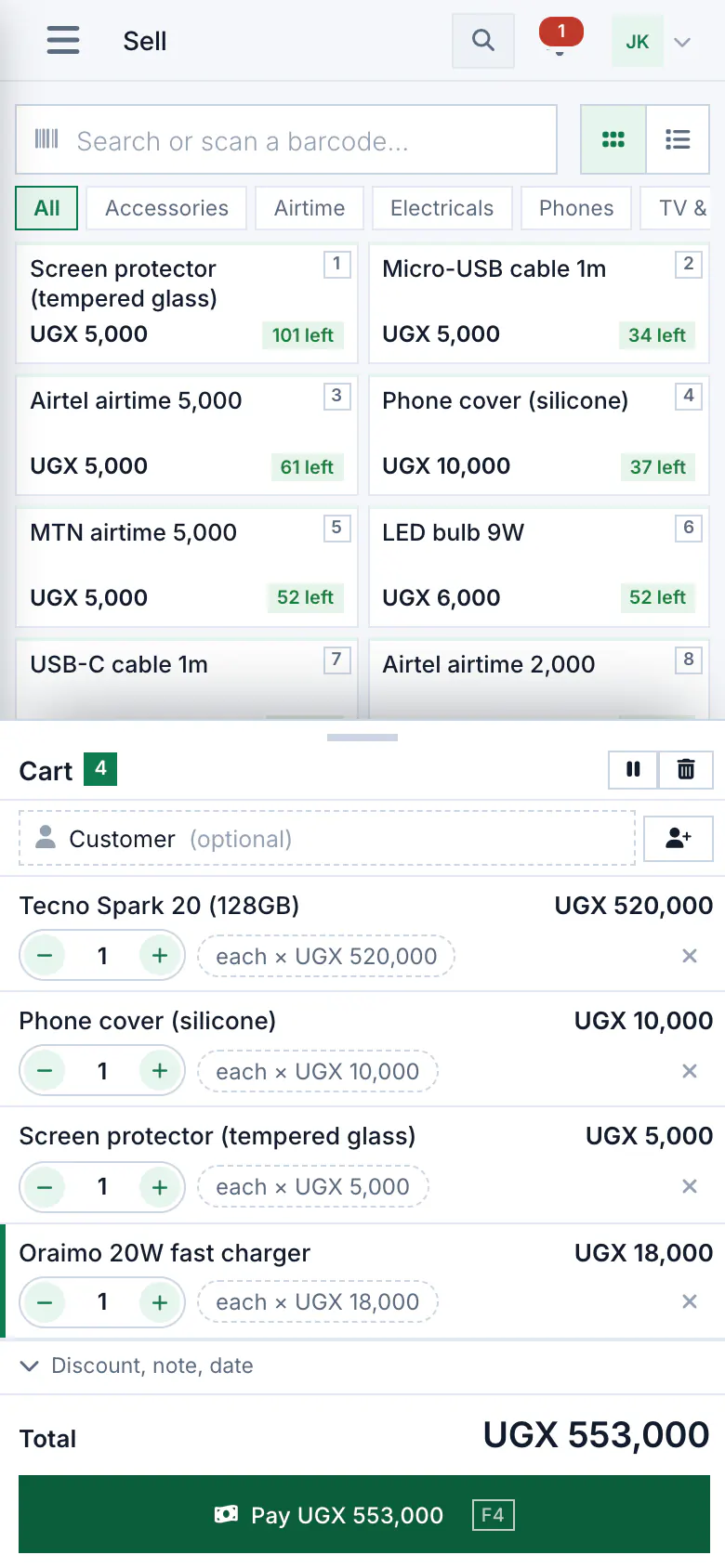
Everything you do at the counter. The phone saves it first and sends it when the connection is back, so nothing is typed twice and nothing is sent twice.
- Selling, with cash, mobile money, card or credit, and receipts to print or share on WhatsApp.
- Stock: receiving, adjusting and counting.
- Customers and debts: adding a customer, a credit sale, a payment.
- Looking things up: prices, what is on the shelf, who owes what.
- A finished sale is never refused when it syncs. If stock went short meanwhile, it is flagged for you to check.
What needs a connection
A few things live on our servers and wait for the network.
- Other phones' sales appear once both phones have synced.
- Reports are worked out on the server, so they need the connection.
- Adding staff logins and paying for your plan.
Before you install
Which phones does it run on?
Android phones, from Google Play. On an iPhone, or any computer or tablet, use Budget Pro in the browser instead, with the same account.
Is the app free?
Yes. The app itself costs nothing. Your shop's plan decides how many phones can sell at once, and the Free plan includes one.
Can several phones sell in one shop?
Yes. Each phone sells on its own and they share one stock once they sync. Your plan sets how many phones you can connect.
What if the phone is lost?
Records that were synced are safe on our servers. The owner can remove the lost phone so it can no longer sync, and a PIN stops a stranger opening the app. Signing out deletes the shop's records from a phone.